
Best Transactional Email Platforms for 2026: Features & Pricing

A missed OTP, a password reset stuck in spam, a payment confirmation that never arrives – each one is a broken user experience with a real cost. Transactional email isn’t a marketing channel; it’s infrastructure. And in 2026, with inbox providers tightening authentication requirements, spam filters growing more aggressive, and compliance obligations expanding, picking the wrong email delivery platform can quietly drain user trust and revenue.
The best transactional email platforms in 2026 are Mailtrap, Maestra, Mailgun, Amazon SES, SendGrid, and Postmark. In this guide, we compare all six across the metrics that actually matter: deliverability, features, pricing, and real user feedback – so you can make an informed decision before committing.
Quick Verdict: Best Transactional Email Platforms by Category
The best transactional email platform depends on what you optimize for. Maestra is best for brands that want transactional and marketing email on one customer profile; Mailtrap for deliverability analytics; Mailgun for granular API control; Amazon SES for rock-bottom unit cost; SendGrid for teams already on Twilio; and Postmark for raw delivery speed.
Best for sending at scale: Mailtrap – platform for Dev and Product teams that need high inboxing rates, fast delivery, and actionable analytics
Best for combining transactional + marketing email: Maestra – unified platform where transactional emails share data with campaigns, flows, and CDP
Best for high-volume API delivery: Mailgun – developer-friendly API with flexible routing and log retention
Best for raw cost efficiency at scale: Amazon SES – penny-level pricing with AWS infrastructure
Best for Twilio ecosystem teams: SendGrid – mature API with marketing tools for teams already on Twilio
Best for speed and deliverability: Postmark – purpose-built for transactional email with industry-leading delivery times
Content:
What to Look for in a Transactional Email Platform
Evaluation checklists are easy to find. What’s harder is knowing which pain points to prioritize. Here are the five that most commonly catch teams off guard:
Pain Point | What It Looks Like | What to Check |
|---|---|---|
| Poor inbox placement | Password resets landing in spam | Deliverability test data, IP warmup protocols |
| No stream separation | A marketing blast delays a critical OTP | Dedicated transactional stream |
| Hidden pricing at scale | Bill doubles when you hit 100K emails | Overage rates, per-1K cost |
| Weak analytics | Can’t diagnose a 15% delivery drop | Per-ISP breakdown, bounce categorization |
| Compliance gaps | GDPR or SOC 2 missing or configuration-dependent | Certifications, data residency options |
Here’s what each of these looks like in practice – and what separates the platforms that handle it well from the ones that don’t:
Deliverability and inbox placement. A transactional email that lands in spam is functionally undelivered – the OTP is never entered, the reset link never clicked. Look past a vendor’s headline “99% delivery” figure, which usually means “accepted by the receiving server” rather than “placed in the inbox,” and ask for inbox-placement testing, seed-list results, and the IP warmup process for new senders. Dedicated IPs with automatic warmup matter most once you’re sending at volume.
Separate sending streams. Transactional and marketing mail should never share a reputation. If a promotional campaign draws spam complaints, it can drag down the sender reputation your password resets depend on – and a queue of marketing sends can hold up a time-sensitive OTP behind it. A dedicated transactional stream, or separate subdomains and IPs, isolates the two so one bad campaign can’t take critical mail down with it.
Pricing that holds at scale. Entry prices are easy to compare; the real bill shows up at 100K, 500K, or a million sends. Check the overage rate, the effective per-1,000 cost at your projected volume, and whether the features you actually need – dedicated IPs, longer log retention, email validation – are included or locked behind a higher tier. A low base price stacked with add-ons often ends up costing more than a higher flat plan.
Analytics and log retention. When delivery drops 15% overnight, you need to know which mailbox provider, which domain, and why – quickly. Per-ISP breakdowns, bounce categorization, and searchable logs turn a multi-day investigation into a five-minute one. Retention windows range from a single day on entry tiers to 45 days at the top of the category; teams in finance or healthcare should treat longer retention as a hard requirement, not a nice-to-have.
Compliance and data residency. For regulated teams, certifications aren’t optional. Confirm GDPR handling, SOC 2 Type II and ISO 27001 certification, and whether you can pin data to a specific region – EU, US, or Asia. Some platforms ship these by default; others make them configuration-dependent or reserve them for enterprise plans, so it’s worth confirming before you commit.
Transactional Email Platforms at a Glance
Platform | Free Plan | Starting Price | Standout Features | Best For |
|---|---|---|---|---|
| Mailtrap | 4,000 emails/month | From $15/month | Separate transactional and bulk streams, per-ISP analytics, auto IP warmup | Dev and product teams sending at scale |
| Maestra | No free plan, but billing starts only after migration is complete | From $2,000/month | Transactional plus marketing on one CDP, omnichannel flows, white-glove support for each account | Ecommerce, triggered email + personalization |
| Mailgun | 100 emails/day | From $15/month | Granular API, send-time optimization, EU/US data residency | Developer-first flexibility |
| Amazon SES | 3,000 emails/month (first 12 months) | $0.10/1K emails | Lowest unit cost, native AWS integration, CloudTrail logging | AWS teams, budget-sensitive |
| SendGrid | 100 emails/day | From $19.95/month | Mature API, built-in marketing automation, wide integrations | Enterprise scale |
| Postmark | 100 emails/month | From $15/month | Fastest delivery, 45-day full-content logs, volume-based pricing | Speed-critical transactional sends |
Mailtrap – Best for Sending at Scale
G2: 4.8 ⭐
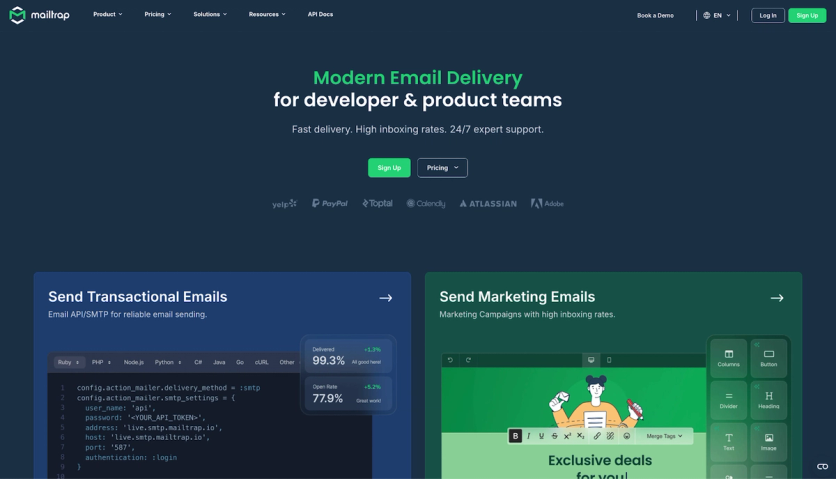
Mailtrap is an email delivery platform designed for product companies and developer teams that need high deliverability rates, industry-best analytics, and a reliable infrastructure for transactional email. It provides a dedicated transactional stream, keeping user-triggered emails – password resets, payment confirmations, account notifications – fully separated from bulk sends, which directly protects inbox placement.
Mailtrap Key Features
- Separate streams for transactional and bulk emails
- SMTP relay and Email API with SDKs for Node.js, Ruby, PHP, Python, and Elixir
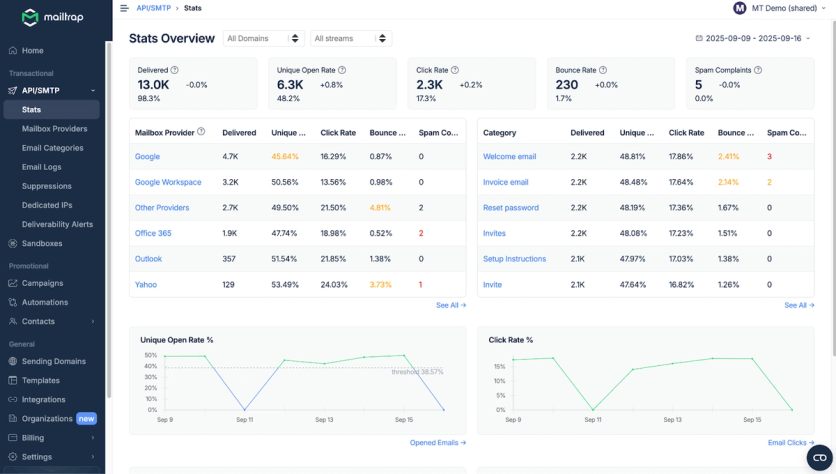
- Helicopter-view analytics dashboard with drill-down reports per mailbox provider, domain, and stream
- Up to 30-day email log retention
- Dedicated IPs with automatic warmup for high-volume senders
- Deliverability alerts, suppression management, and webhooks
- GDPR compliant, ISO 27001 and SOC 2 Type II certified
Mailtrap Strengths
Mailtrap’s analytics go deeper than most competitors. You can track unique open rates, delivery rates, click rates, bounce rates, and spam complaints – all filterable by category, provider, domain, and stream. This level of visibility makes it straightforward to diagnose deliverability issues before they compound.
Pricing is transparent and consistent: essential features are available across all paid tiers, not locked behind enterprise plans. The platform maintains 99.9% server uptime and customer support is available to all users, with 24/7 expert access from the Business plan onwards.
Real users back this up. Mailtrap is trusted by over 150,000 monthly active users, including well-known companies such as Yelp, PayPal, Atlassian, and Adobe. A financial services reviewer on G2 noted strong deliverability and a developer-friendly transactional API. On Capterra, reviewers consistently highlight reliability as a standout quality.
Mailtrap Weaknesses
The most-requested feature – 24/7 expert support – is reserved for the Business plan and above, so smaller teams on the Basic tier are limited to standard support hours. Log retention is tiered too: the Basic plan keeps only 5 days of email logs, and you need the Enterprise plan to reach the full 30-day window that audit-conscious teams often require.
Mailtrap is also purpose-built for email delivery, not marketing. It has no CDP, segmentation, or automation layer, so ecommerce teams that want triggered transactional email and personalized campaigns in one place will still need a second platform alongside it.
Mailtrap Pricing
Plan | Monthly Cost | Email Limit | Key Features |
|---|---|---|---|
| Free | $0 | 4,000 emails | SMTP relay, Email API, webhooks, drag-and-drop editor |
| Basic | From $15 | 10,000+ | 5-day email logs, click tracking, HTTPS link branding |
| Business | From $85 | 100,000+ | 15-day email logs, dedicated IP, auto warmup |
| Enterprise | From $750 | 1,500,000+ | 30-day email logs, priority support, free migration |
Mailtrap Best For
SaaS companies, FinTech products, and development teams sending at scale that need high inboxing rates, fast delivery, and actionable analytics.
Maestra – Best for Transactional and Marketing Email in One Platform
G2: 4.8 ⭐
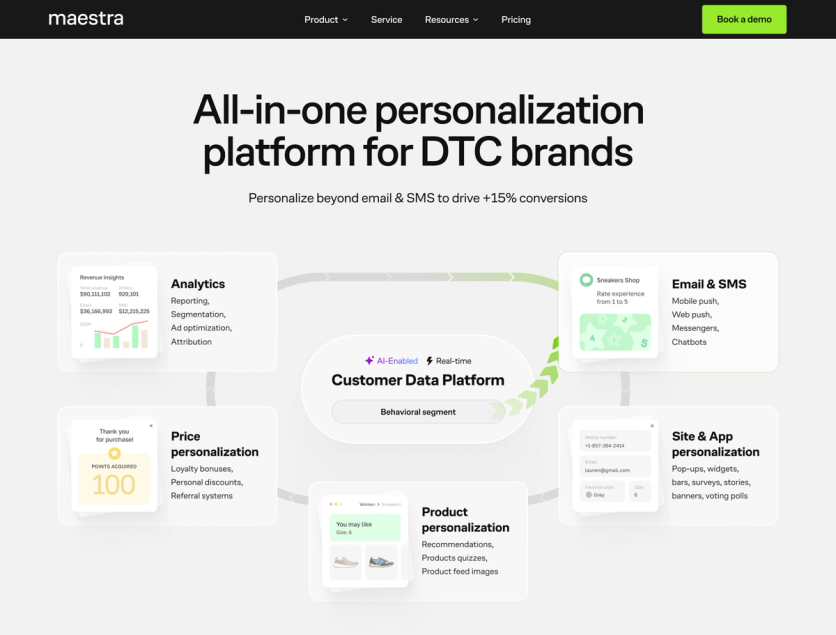
Maestra is a personalization platform for ecommerce brands that consolidates bulk, triggered, and transactional email – along with SMS, on-site personalization, product recommendations, loyalty, and a real-time CDP – into a single system. Unlike dedicated transactional email tools, Maestra connects every send directly to unified customer profiles and live behavioral data, so each message is personalized at the moment of send, not on a delayed sync from a separate CDP.
Maestra Key Features
- Omnichannel journey builder for triggered and automated flows with branching logic across email, SMS, push, site, and other channels
- Real-time CDP that unifies customer data across touchpoints and powers live segmentation
- Ecommerce-specific triggered email drawing on the customer’s full profile at the moment of send
- Product recommendations that work in email content dynamically based on real-time browsing and purchase data
- On-site personalization with instantly updating content (pop-ups, embedded blocks, banners, stories, etc.)
- Built-in loyalty engine connected directly to segmentation and email flows
- Analytics with deliverability monitoring, channel-level, segment-level, and campaign-level reporting
- Dedicated Forward Deployed Marketer (a marketer who works as part of your team) for every account – handling setup, flow configuration, and ongoing strategy
Maestra Strengths
The core advantage is data unification. Because Maestra’s CDP, email sending, and personalization engine share a single data layer, triggered messages automatically draw on the customer’s full profile – past purchases, predicted preferences, loyalty status, browsing history – without relying on API syncs or third-party integrations. A post-purchase confirmation can kick off a personalized recommendation sequence, a back-in-stock alert can be filtered by who browsed the product in the last 30 days. That level of specificity is structurally difficult to achieve when transactional email and marketing live in separate systems.
The shared data layer also makes standard transactional messages smarter. An order confirmation can show how many loyalty points the customer earned, whether their VIP tier changed, or include a referral program banner. All of that is pulled from the CDP automatically, with no extra integration work.
Maestra also handles complex transactional scenarios that trip up simpler platforms. Selkirk Sport, a pickleball gear manufacturer, previously had to keep transactional emails on Shopify because their marketing platform couldn’t reflect orders where different items shipped via different couriers, or where part of an order was canceled. With Maestra, every line item in a transactional email displays its correct, real-time status – even in multi-shipment or partial cancellation cases – and all emails now run through one platform with consistent design and frequency control.
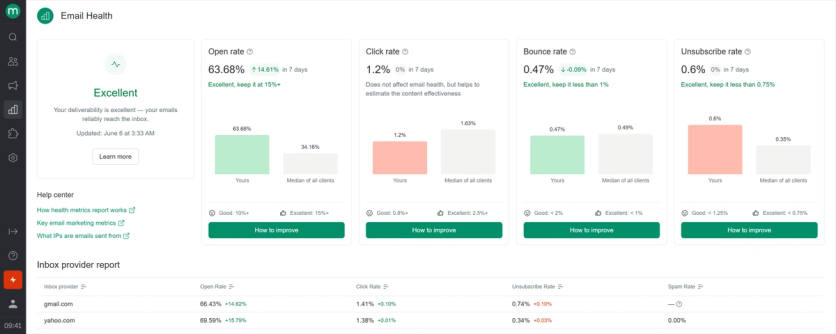
On the deliverability side, Maestra’s Email Health Report benchmarks your delivery rate, bounce rate, spam complaints, and engagement against industry standards – broken down by mailbox provider. If a metric drops below threshold, the platform flags it with a specific recommendation. Your Forward Deployed Marketer monitors these signals proactively and steps in before issues compound. Furniture Fair, for example, came to Maestra with open rates stuck at 17% and serious deliverability problems. After the Forward Deployed Marketer configured authentication, warmed up domains, and built targeted sending segments using the Email Health data, open rates doubled.
The platform is built for brands that want everything in one box. Enlightened Equipment used Maestra’s targeted pop-ups and A/B testing to grow their subscriber signup rate from 0.37% to 6.1% of website visitors – a 20x increase in new subscribers – while the brand’s overall revenue grew 52.5% after optimizing every step of the customer journey on the platform. Pricing is month-to-month with no annual contract, and dedicated onboarding is included across plans.
Support is another differentiator. Where most platforms in this comparison gate live support behind higher tiers, every Maestra account includes a dedicated Forward Deployed Marketer who configures flows, runs tests, and meets weekly to review strategy. Your Forward Deployed Marketer is available for ongoing support via a shared Slack channel. White-glove migration and onboarding are included at no extra cost.
Maestra Weaknesses
Although Maestra can handle OTPs and password resets, it’s not designed as an infrastructure-level transactional tool for SaaS or B2B. Teams that only need developer-facing email delivery will find it over-built. The starting price of $2,000/month (the CDP plus unlimited email) puts it out of reach for early-stage teams or low-volume senders.
Maestra Pricing
Maestra is priced by active profile count, not sending volume, on a month-to-month basis with no annual contract required. Every plan starts with the CDP base plus unlimited email – from $2,000/month, with the first 100,000 active profiles included – and you add modules for extra channels as you grow. You pay only for active profiles; dormant ones are stored free. Build your own estimate on the Maestra pricing page.
Plan | Monthly Cost | Key Features |
|---|---|---|
| CDP + unlimited email | From $2,000/month | Real-time CDP, unlimited email, product recommendations, reporting and analytics, omnichannel journey builder, dedicated Forward Deployed Marketer |
| CDP + email + SMS + mobile app | From $3,555/month | Real-time CDP, unlimited email, SMS/MMS/RCS (billed per message on top), mobile push and in-app personalization, product recommendations, reporting and analytics, omnichannel journey builder, dedicated Forward Deployed Marketer |
| CDP + email + loyalty | From $3,010/month | Real-time CDP, unlimited email, Shopify loyalty and referral program, product recommendations, reporting and analytics, omnichannel journey builder, dedicated Forward Deployed Marketer |
Maestra Best For
Ecommerce and DTC brands that want to eliminate the divide between transactional triggers and marketing automation – running both from a single platform with shared customer data, shared logic, and shared reporting.
Mailgun – Best for High-Volume API Delivery
G2: 4.2 ⭐
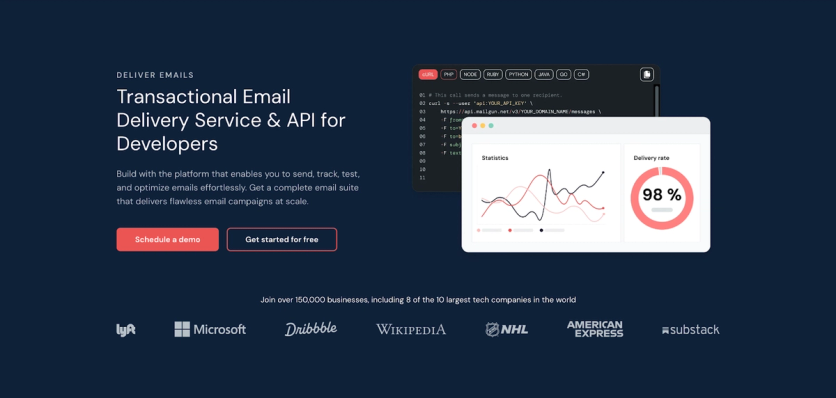
Mailgun is a developer-first email delivery platform built around granular API control. It positions itself as a two-in-one solution, covering both transactional and marketing email from a single product suite. For teams that want fine-tuned configuration options and are comfortable working at the infrastructure level, Mailgun offers a strong set of tools.
Mailgun Key Features
- RESTful API and SMTP relay with ready-made code snippets for easy integration
- Send time optimization using machine learning to improve open rates
- Email validation (add-on on Foundation plan, included on Scale)
- US and EU region selection for data residency and compliance
- Drag-and-drop and HTML template builder
- Up to 30-day log retention on Scale plan
- Wide third-party integrations across CRM, CMS, and e-commerce platforms
Mailgun Strengths
Mailgun delivers high deliverability rates and supports subdomain sending, which lets teams route different email types through separate domains – a useful practice for protecting sender reputation. The EU data center option is a practical advantage for teams subject to GDPR. The platform’s analytics dashboard is intuitive, and the breadth of integrations is one of the widest in this comparison.
A Capterra reviewer specifically praised Mailgun for its email logs and suppression list management, highlighting it as a key reason for staying on the platform.
Mailgun Weaknesses
- Requires developer expertise to set up and manage – non-technical users will struggle
- Log search is tag-based only; you cannot search by email content
- Some platform bugs have been reported, likely tied to recent feature additions
- Customer support response times are slow on lower-tier plans
Mailgun Pricing
Plan | Monthly Cost | Email Limit | Key Features |
|---|---|---|---|
| Free | $0 | 100/day | Email API + SMTP, 1 domain, 1-day log retention |
| Basic | From $15 | 10,000+ | Email API + SMTP, 1-day log retention |
| Foundation | From $35 | 50,000+ | Template builder, 5-day log retention, 1,000 domains |
| Scale | From $90 | 100,000+ | SAML SSO, dedicated IP pools, 30-day log retention |
Mailgun Best For
Developer teams that need granular control over their transactional email platform infrastructure and want transactional and marketing sending in one product.
Amazon SES – Best for Cost Efficiency at Scale
G2: 4.3 ⭐
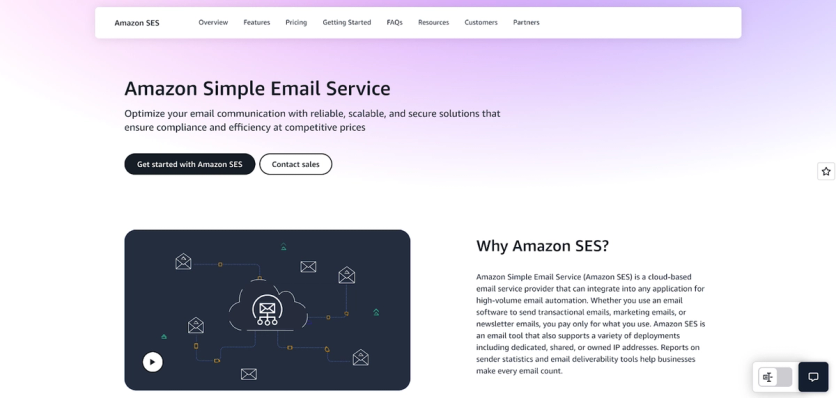
Amazon SES (Simple Email Service) is the most cost-effective option in this comparison and the closest equivalent to a self-hosted transactional email solution for teams already operating within AWS infrastructure. It is a cloud-based email service built for experienced developers, offering deep configuration options and seamless integration with the broader AWS ecosystem.
Amazon SES Key Features
- SMTP relay and robust API with SDKs for Java, .NET, PHP, Python, Ruby, and Go
- Reputation monitoring and Virtual Deliverability Manager (optional add-on)
- Region selection across EU, US, and Asia for data residency
- Inbound email support
- AWS CloudTrail integration for detailed, auditable event logging
Amazon SES Strengths
At $0.10 per 1,000 emails, Amazon SES undercuts every other platform on this list on unit cost. The platform integrates natively with Lambda, CloudWatch, and IAM – giving technical teams fine-grained control over sending workflows, permissions, and automation.
On the compliance side, AWS CloudTrail provides exhaustive logging for all email-related activities, which is particularly valuable for regulated industries. Quirion, a European robo-advisor, uses Amazon SES to send personalized transactional emails to its customers, citing both affordability and the flexibility of transactional email templates as key benefits.
A G2 reviewer in financial services specifically called out the platform’s value for EC2 users, noting the combination of cost and scalability as a decisive factor.
Amazon SES Weaknesses
- No dedicated analytics UI – metrics are basic without additional AWS configuration
- Stream separation requires manual setup using separate configuration sets
- Customer support is slow and limited without premium AWS support plans
- Steep learning curve; the platform assumes AWS expertise
Amazon SES Pricing
Plan | Cost | Email Limit | Key Features |
|---|---|---|---|
| Free tier | $0 | 3,000 messages/month (first 12 months) | Full feature access |
| Pay-as-you-go | $0.10/1,000 emails | Unlimited | Additional fees for data transfer and add-ons |
| Dedicated IP | +$24.95/month | – | Available as add-on |
| Virtual Deliverability Manager | +$0.07/1,000 emails | – | Optimization add-on |
Amazon SES Best For
AWS-native teams with experienced developers who prioritize cost efficiency over ease of setup and want deep integration with existing AWS infrastructure.
SendGrid – Best for Twilio Ecosystem Teams

G2: 4.0 ⭐
SendGrid is one of the longest-standing transactional email tools on the market and one of the most recognized marketing cloud transactional email providers. It covers both API-based transactional sending and full marketing automation under one roof, making it a viable single-vendor solution for larger teams that need both.
SendGrid Key Features
- SMTP and API with SDKs for Python, Node.js, PHP, Ruby, Java, C#, and Go
- Dynamic email templates with drag-and-drop and HTML editors
- Dedicated IPs with automated warmup tools (Pro plan and above)
- Email validation API (Pro plan)
- Subuser management for multi-team or multi-brand operations
- Deliverability insights dashboard with bounce categorization and block analysis
- Continuous sender reputation monitoring
SendGrid Strengths
SendGrid’s analytics surface goes deep – you can track bounced and blocked messages, unique opens, click rates, and even drill into the specific causes of bounces. Unlike some competitors, these deliverability insights are included in paid plans without requiring a separate add-on. The platform’s integration ecosystem is one of the widest available, making it easy to connect with CRMs, CMS platforms, and e-commerce tools.
For teams that need enterprise-scale infrastructure, SendGrid has a long track record. Gusto, an online payroll service, is a published case study on SendGrid’s website, highlighting how the platform supports high-volume, compliance-sensitive transactional sending.
SendGrid Weaknesses
- Essential features – dedicated IPs, email validation, Reverse DNS – are reserved for Pro tier and above
- Inbox placement on shared IPs at lower tiers has drawn mixed feedback from users
- Analytics dashboards are scattered across the interface with no single unified overview
- Customer support response times are slow on Essentials plan
SendGrid Pricing
Plan | Monthly Cost | Email Limit | Key Features |
|---|---|---|---|
| Free trial | $0 | 100/day for 60 days | Basic sending |
| Essentials | From $19.95 | 50,000+ | Analytics, Email API, limited webhooks, 1 teammate |
| Pro | From $89.95 | 100,000+ | Dedicated IPs, Validation API, Reverse DNS, 1,000 teammates |
| Premier | Custom | Custom | All features + dedicated support |
SendGrid Best For
Large enterprises that need a proven, scalable infrastructure and a single vendor to handle both transactional and marketing email.
Postmark – Best for Speed and Deliverability

G2: 4.6 ⭐
Postmark is an email delivery platform built around one priority: getting time-sensitive messages to the inbox fast and reliably. It offers a separate broadcast stream for bulk sends, and its 45-day full content log retention is a real advantage for payment companies with audit requirements.
The platform is straightforward to set up and well-documented, making it a good fit for smaller engineering teams that want reliable delivery without complex configuration.
Postmark Key Features
- Separate transactional and broadcast (bulk) streams
- SMTP and API integration with official and community libraries for multiple languages
- 45-day full content history with logs categorized by stream, status, subject, tags, and date
- Webhooks for key events with a defined retry schedule (up to 6 hours for bounce/inbound; up to 15 minutes for click, open, and delivery events)
- Suppression management
- Transparent real-time delivery status page
Postmark Strengths
Postmark’s pricing model stands out: costs are based entirely on sending volume, not feature tiers. Every paying customer gets access to the same core functionality. This is a meaningful difference from platforms where analytics, webhooks, or integrations are gated behind higher plans.
Two published case studies illustrate real-world performance. Invoice Ninja, an invoicing platform, reportedly sends approximately 150,000 emails per month through Postmark, relying on delivery speed and engagement tracking for customer invoices. DriveWealth, a registered broker-dealer with strict compliance obligations, uses Postmark’s Broadcast Message Streams for compliance emails to ensure regulatory requirements are met consistently.
Postmark Weaknesses
- Dedicated IPs are an add-on only, and eligibility requires sending at least 300,000 emails per month
- Customer support is available via tickets only – no 24/7 live support
- Sandbox mode is available but limited in scope
Postmark Pricing
Plan | Monthly Cost | Email Limit | Key Features |
|---|---|---|---|
| Free trial | $0 | 100 emails | Core features including templates, analytics, webhooks |
| Basic | From $15 | 10,000+ | Up to 4 users, 5 servers and domains, email templates |
| Pro | From $60.50 | 50,000+ | Up to 30 streams, all event webhooks, stats and tracking APIs |
| Platform | From $138 | 125,000+ | Unlimited users, servers, streams, and domains |
Postmark Best For
Teams that want fast transactional delivery with minimal configuration and the longest log retention in the category.
How to Choose the Right Platform
Your Profile | Monthly Volume | Best Fit |
|---|---|---|
| Dev and product teams prioritizing deliverability and analytics | 10K–500K+ | Mailtrap |
| Ecommerce brands wanting transactional, triggered, and marketing email in one platform | 150K+ | Maestra |
| Developer team needing granular API control | 50K+ | Mailgun |
| AWS-native team with strong dev capacity, budget-sensitive | 1M+ | Amazon SES |
| Enterprise team needing transactional + marketing in one platform | 500K+ | SendGrid |
| Team where delivery speed and pricing predictability come first | Any | Postmark |
Before committing to any platform, run a 7–14 day pilot with real traffic. Send at least one transactional flow and monitor inbox placement across Gmail, Outlook, and Yahoo using a third-party tool. Vendor dashboards are useful – but placement data from your actual domain and sending patterns is the only reliable signal.
Choosing the Right Transactional Email Platform
Reliable transactional email delivery is not optional. A payment confirmation that lands in spam, a verification email that arrives late, or an OTP that never shows up – each one erodes the user trust that product teams spend months building.
The best transactional email platforms in 2026 are Mailtrap, Maestra, Mailgun, Amazon SES, SendGrid, and Postmark. Each serves a different profile: Mailtrap for teams that need high deliverability with best-in-class analytics, Maestra for ecommerce brands that want triggered email and full marketing automation in one platform, Mailgun for developer-first flexibility, Amazon SES for cost-driven AWS teams, SendGrid for enterprise-scale operations, and Postmark for teams where speed is everything.
Start with a free plan, test with real traffic, and let deliverability data make the final call.
Want transactional and marketing email running on one customer profile – without giving up deliverability? Book a Maestra demo and see both flows share the same data, logic, and reporting.
FAQ
- A transactional email platform is built to send automated, one-to-one emails triggered by a user action – password resets, order confirmations, payment receipts, shipping updates, and account alerts. Because the recipient expects them immediately and they carry no promotional intent, transactional emails see far higher open rates than marketing mail. A marketing email platform, by contrast, is built for bulk, one-to-many campaigns – newsletters, promotions, and win-back flows – sent to segmented lists on a schedule you control. The two have different deliverability needs, which is why the strongest setups keep them on separate sending streams.
- Yes – but only if it keeps the two on separate sending streams. Without stream separation, a marketing campaign that generates spam complaints can damage the sender reputation your transactional emails rely on, and a queued promotional blast can delay a time-sensitive OTP behind it. Mailtrap and Postmark both offer dedicated transactional and bulk streams; SendGrid and Mailgun support separation through configuration, but it takes manual setup. Maestra runs transactional, triggered, and marketing email from one platform on shared customer data – so an order confirmation can carry loyalty points or product recommendations without a separate integration – while protecting deliverability through separate sending streams and proactive inbox monitoring. Selkirk consolidated its transactional and marketing email onto Maestra after its previous tool couldn’t reflect multi-shipment or partially canceled orders.
- Mailtrap and Mailgun are the strongest choices for developer teams. Mailtrap pairs a developer-friendly Email API and SMTP relay with SDKs for Node.js, Ruby, PHP, Python, and Elixir, plus drill-down analytics that make troubleshooting deliverability straightforward. Mailgun offers the most granular API control, flexible routing, and EU/US region selection for data residency. Amazon SES is a strong third option for teams already inside AWS, trading a steeper learning curve for the lowest unit cost in the category.
- Self-hosted transactional email means running your own mail transfer agent (MTA) on your own infrastructure rather than using a managed provider. It gives maximum control over deliverability configuration and data – but it requires significant engineering capacity to manage IP reputation, bounce handling, authentication, and scaling. Amazon SES is often considered the closest managed equivalent, offering deep configuration at very low cost. For most teams, a managed provider delivers better inbox placement with far less operational overhead. Conversely, if your goal is to minimize developer involvement – and free your marketing team from depending on engineers for every send – a managed consolidated like Maestra sits at the opposite end of the spectrum: no MTA to run, no IP reputation to babysit, and marketers can build and adjust triggered flows themselves.