
When WhatsApp Works For Retail Brands and How to Use It As a Marketing Channel

WhatsApp is a strong marketing channel, especially in South America, Europe, and the Middle East: it’s great for deliverability, engagement, and interactivity, but can be expensive and comes with stricter rules around opt-in and messaging. WhatsApp works best for real conversations – support, product picking, consultations, etc.

Quick fit checklist: Is WhatsApp the right move for your brand?
- Region: We have meaningful revenue (or fast growth) in WhatsApp-first markets like South America, Asia, Europe, or the Middle East.
- Product: Our products benefit from guidance – higher AOV and “help me choose” questions.
- Ops: We can handle replies quickly and escalate to a human when needed.
- Goal: We’re using WhatsApp to drive conversations (support, consultations, community) – not just promo blasts.
If WhatsApp marketing looks like a fit, let’s dive deeper.
Where and When WhatsApp Is Worth It For Retail Brands
WhatsApp works as a marketing channel when it matches how customers already behave. It really comes down to geography:
- In Europe, WhatsApp has significant scale. It reported an average of 46.8M monthly active users in the EU (Reuters).
- In the Middle East, WhatsApp is a primary messaging tool. It’s a must-have channel for retail brands in that region.
- In the US, iMessage dominates. Only 32% of adults use WhatsApp (Pew Research Center) – meaningful, but far from the default. The typical US WhatsApp user tends to be urban and under 50, especially in the 30–49 age bracket. If that’s your target audience, WhatsApp marketing makes sense.
WhatsApp tends to win when customers want:
- Fast back-and-forth – questions, objections, “help me choose”
- Human touch – handoff to a stylist or designer, store associate, consultant
- Relationship – VIP access, niche communities, membership vibes
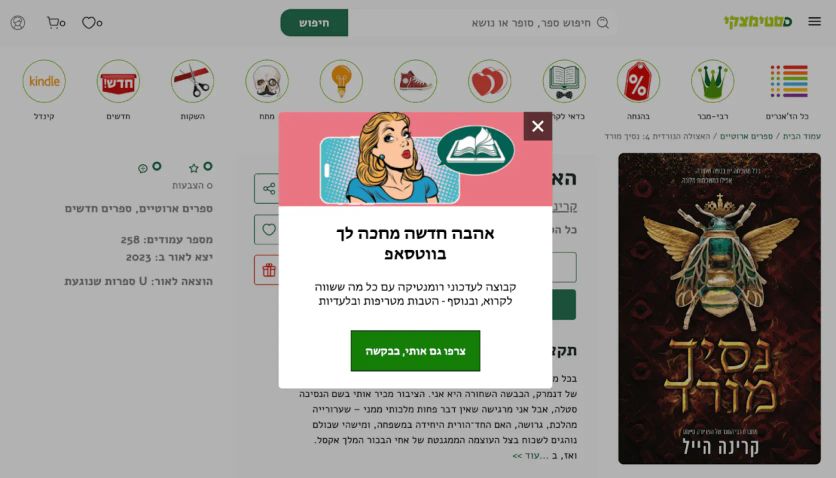
One of the strongest use cases for WhatsApp is community building. For example, D‑Steimatzky, a digital bookstore, built genre-based WhatsApp communities to provide relevant recommendations and discounts that drive customer loyalty.
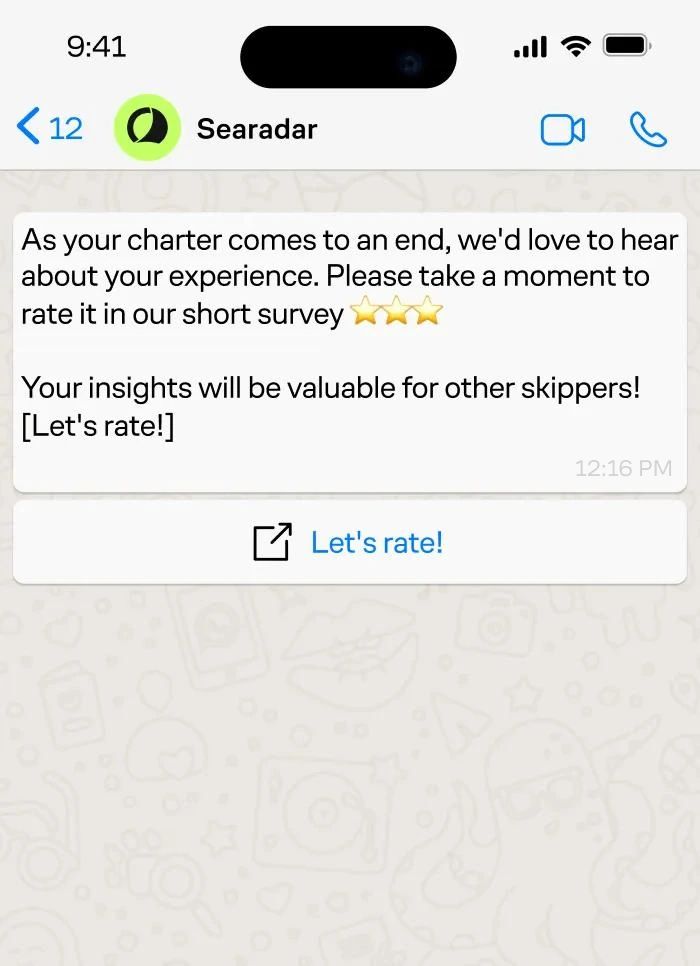
WhatsApp stands out as a truly two-way channel that creates opportunities that go beyond sales. For example, Searadar, a yacht booking service, uses WhatsApp to request reviews after a charter. Because the message arrives in a trusted, familiar chat thread, customers are more likely to respond. The result is a consistent stream of reviews that strengthens the brand’s credibility and long-term social proof.
WhatsApp vs Email vs SMS
WhatsApp marketing for e-commerce outperforms email and SMS in engagement and interactivity.
Deliverability and engagement. WhatsApp messages are less likely to be ignored than SMS. If a market is WhatsApp-first, people are checking the app constantly, so they usually see your message even if they missed a push notification. Unlike email, there’s no fighting spam folders or the Promotions tab. Plus, WhatsApp Business Platform pricing is based on delivered messages, not merely sent (WhatsApp Business).
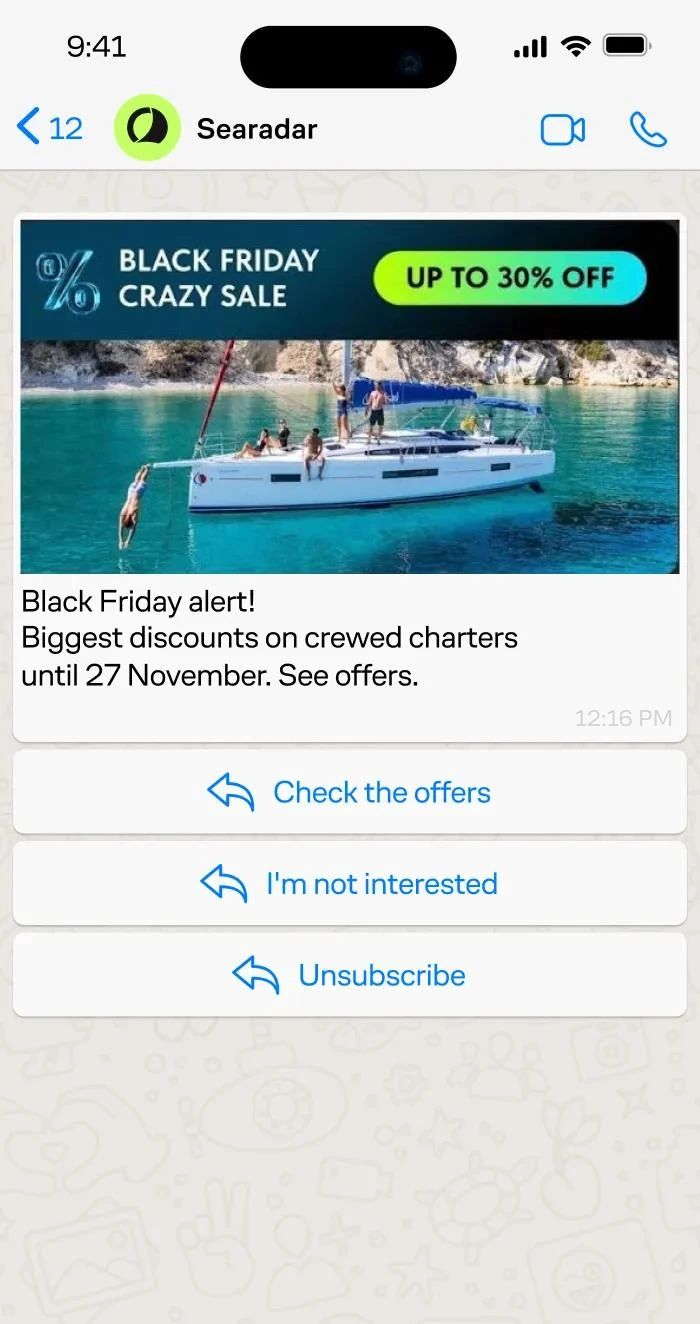
Maestra clients often use WhatsApp as one of the steps in cascade flows. This allows them to boost deliverability and engagement because people are more likely to see and act on a WhatsApp message, fewer contacts fall through to the SMS stage. Searadar ran Black Friday campaigns using exactly this approach: email first, then WhatsApp if unopened, then SMS as a final nudge. The WhatsApp step in this cascade saw a 4% conversion rate – meaning 4% of recipients engaged with the offer and wanted to learn more.
Interactivity. SMS interactive flows are best suited for streamlined, text-based interactions. WhatsApp supports interactive elements: menus, buttons, product-style flows. Email can do rich content with clicks and forms, but it’s rarely a true two-way flow. WhatsApp is a game-changer if you want to turn your business chat into a one-on-one consultation.
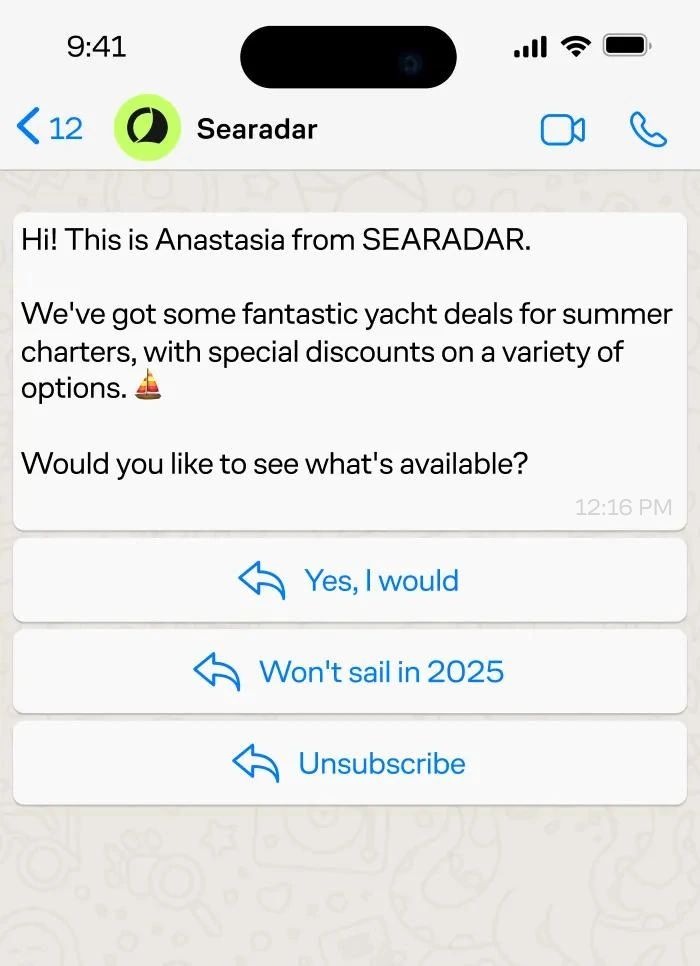
Searadar uses WhatsApp for re-engagement. When a customer tapped a button inside the WhatsApp message, an account manager followed up directly from the chat interface – no channel-switching, no delays.
Comparison Table: WhatsApp vs Email vs SMS
| Feature | SMS | ||
|---|---|---|---|
| Best use | Conversational commerce + support + guided buying | Newsletters, lifecycle, long-form | Urgency, short nudges |
| Interactivity | High (two-way chat + interactive flows) | Medium (clicks/forms; inbox-dependent) | Low–medium (functionally limited) |
| Response speed | High (when users are WhatsApp-first) | Low–medium | Medium-high |
| Costs | Per delivered message; varies by market/category | Low per send, but deliverability varies | Predictable per send |
What to Consider Before Using WhatsApp in Your Marketing Stack
Before integrating WhatsApp into your marketing stack, navigate specific opt-in requirements, template approvals, and per-message pricing.
Moderation. WhatsApp has stricter rules (WhatsApp Business):
- You can only message people if they’ve provided their number and given opt-in permission to receive messages. To collect WhatsApp opt-ins, use the same places you already win SMS or email consent: checkout, account creation, and high-intent pop-ups.
- To initiate conversations, you generally need approved message templates, and WhatsApp can pause or reject templates.
- Outside the 24-hour window, you can only send messages via approved templates.
- If you use automation in chat, WhatsApp requires clear escalation paths – human agent transfer, phone, email, etc.
Cost. WhatsApp Business Platform uses per-message pricing that depends on:
- the recipient’s market
- the message category (marketing, utility, authentication, service)
- volume tiers for some categories
WhatsApp can be expensive for marketing. In North America, for example, utility and authentication messages run about $0.0034 each, but marketing messages can cost $0.025. By comparison, SMS runs approximately $0.0045 per message, and RCS costs around $0.0125 plus a $220 setup fee.
If you want to save money, the practical move is to design flows so customers start the conversation (support, order help, product questions). WhatsApp does not charge for service or utility messages businesses send in response to users (WhatsApp Business).
Another way is to target your WhatsApp campaigns toward segments most likely to convert (high intent, high LTV, recent engagement), and keep everyone else on email and SMS.
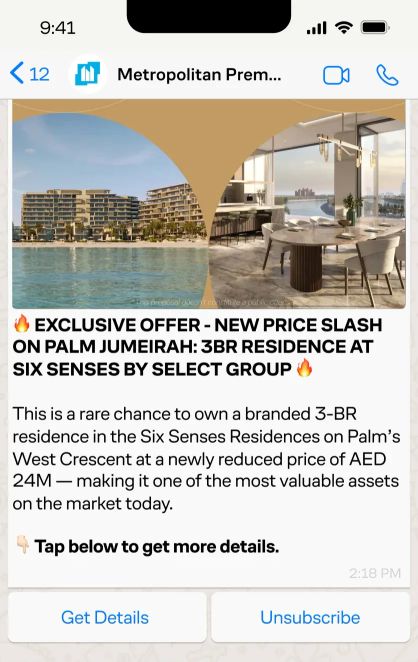
Metropolitan Group, a real estate agency, runs segmented campaigns coordinated across email, SMS, and WhatsApp. This approach ensures precise targeting and helps the company avoid appearing spammy by balancing communication across channels. These campaigns now generate 20.4% of all leads. Advanced segmentation and multichannel delivery drove a 35% increase in leads each month.
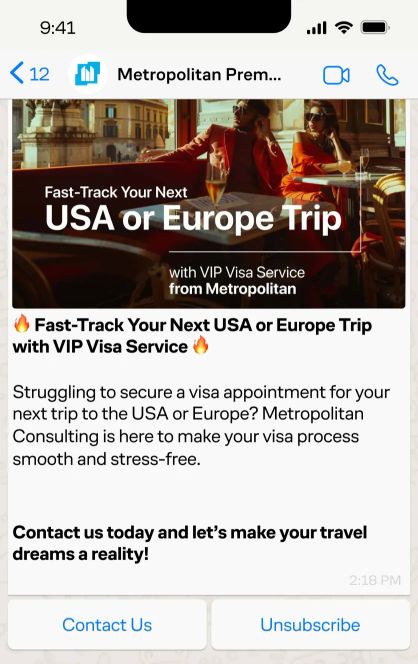
Segment – clients from countries that most frequently migrate to the UAE, who are likely prospects for visa services
Segment – clients with budgets of $20 million or more and clients who previously applied for well-known brands’ projects
Key Takeaway
To test WhatsApp marketing without wasting budget, start with a small pilot in your strongest WhatsApp-first market. Build one utility flow (order or shipping updates) and one revenue flow (high-intent abandoned cart or back-in-stock), then measure cost per purchase or lead against SMS. Keep a clear handoff to a human, and don’t scale until your opt-in rate and response handling are solid.
FAQ
- Yes, but you need opt-in consent before sending any messages – the same standard as SMS. Store consent records, offer a clear opt-out in every message, and make sure your WhatsApp Business Platform provider has a Data Processing Agreement in place. WhatsApp's built-in read receipts and delivery confirmations don't count as consent for marketing.
- Most brands get verified and approved within a few days to two weeks, depending on how clean your business documentation is. The bottleneck is usually Meta's business verification step – have your legal entity name, address, website ready, phone number, and official supporting documentation. Template approval for individual messages is faster, typically under 24 hours, but marketing templates get more scrutiny than utility ones. If you're launching WhatsApp through Maestra, the Maestra team handles the setup and walks you through verification, so you don't have to figure out Meta's requirements on your own.
- Yes – most major platforms, Maestra included, integrate with the WhatsApp Business API so you can build WhatsApp into your existing flows alongside email and SMS. The key thing to check: does your platform support cascade logic (email → WhatsApp → SMS) and real-time handoff to a human agent? Without those two, you lose WhatsApp's biggest advantages.
- It depends heavily on the market. In WhatsApp-first regions (South America, Middle East, parts of Europe), opt-in rates from checkout or post-purchase flows can reach an estimated 15–25% – comparable to SMS. In the US, expect lower numbers (approximately 5–10%) since fewer customers default to WhatsApp. The best-performing opt-in placements are post-purchase confirmation pages and high-intent pop-ups where the value exchange is clear – order updates, exclusive access, or a direct line to a consultant.
- WhatsApp uses a quality rating system tied to how recipients react to your messages – if too many people block you or mark messages as spam, your sending limit drops and templates can get paused. To recover, stop sending the flagged template, review your targeting (are you messaging unengaged contacts?), and submit a revised template. Prevention is simpler: keep your audience tight, avoid blast-style campaigns, and monitor your quality rating. In Maestra, your dedicated Forward Deployed Marketer can help audit campaign targeting before you hit quality issues.