
Popup Auto-Localization For International Brands

The best way is to make the popup auto-localize by default: have it instantly detect a visitor’s browser language and their URL or location context to render the matching popup version right away.
We have a case study on this.
Cycling helmet brand SENA sells across the U.S. and Europe – but in Europe, they ran into a common global retail challenge: language.
SENA runs a single website for the U.S. and all European countries. The main content adjusts by location, so shoppers see the right language. But the email capture popup? It was stuck in English. Which meant they were losing potential leads.
Asking users to switch languages manually wasn’t the answer either. Every extra click means fewer signups.
The fix? A smarter popup.
Now, when someone visits the site, the popup automatically checks their browser language and URL, then instantly shows the right version. It even preselects the right language and country phone code in form – so customers get emails in their preferred language.
Prefer English even though you’re in France? No problem. The popup auto-detects but also lets users switch. Smart and respectful.
Under the hood, it does more than just translate: it routes contacts to the correct regional distribution list – so their email experience matches the language and market.
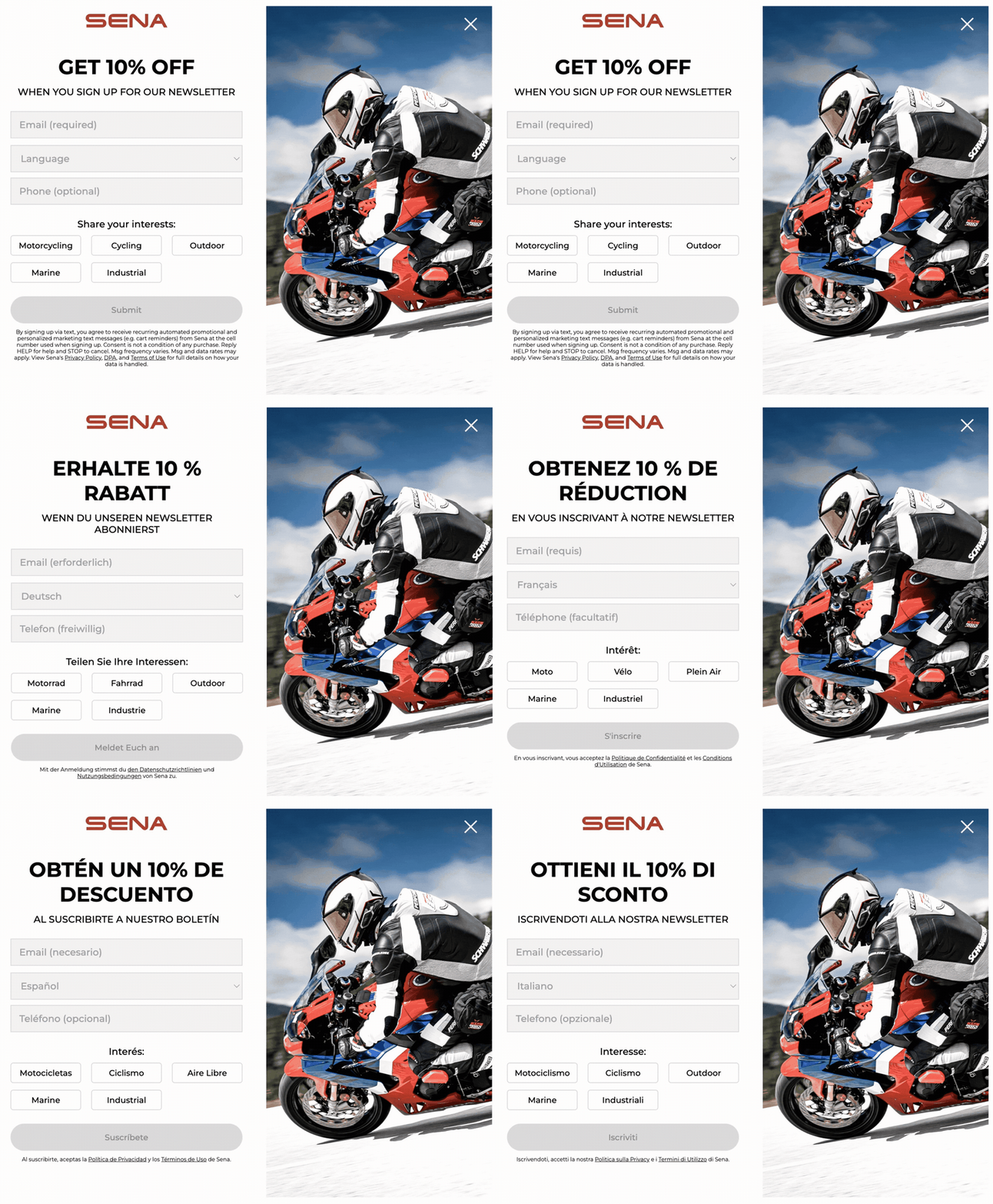
The popup automatically detects visitor’s preferences, displaying content in their native language while routing them to the correct regional email list
No more French users in the German funnel. No more English-only messaging to multilingual visitors. Just one seamless, native-feeling interaction that boosts signup rates across borders.
Social proof is worth extending past the popup. If the storefront speaks French and the nudge speaks English, you get the same disconnect the popup just fixed. You can use an app like Nudgify for that layer: it shows live activity on the page, recent purchases, signups, low stock, and renders those notifications in the visitor’s own language.