
Reducing Support Tickets from Missed Promo Codes

Mirror the promo code from the email on your website so customers see it before they pay, not after. The code lives in their inbox, but the purchase happens on your site – surface it where the transaction happens, and the "I forgot my code" tickets disappear.
Show the code on product pages
Displaying the promo code directly on product pages reinforces visibility of the active promotion. Shoppers know exactly which products qualify and see the code they need – even if they skipped the email. Make it click-to-copy so they can grab it with one tap. This direct communication improves conversion because the offer is impossible to miss.
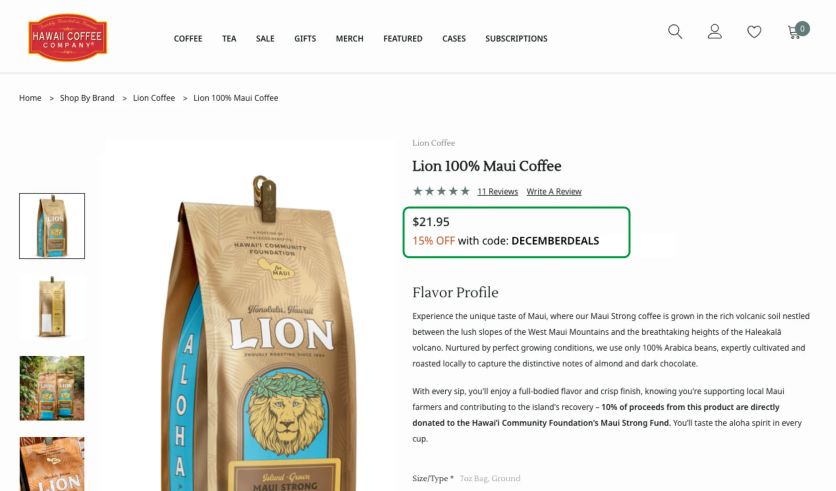
Hawaii Coffee Company shows the code in the product info section, below the price, so shoppers see the offer when making purchase decisions based on product price
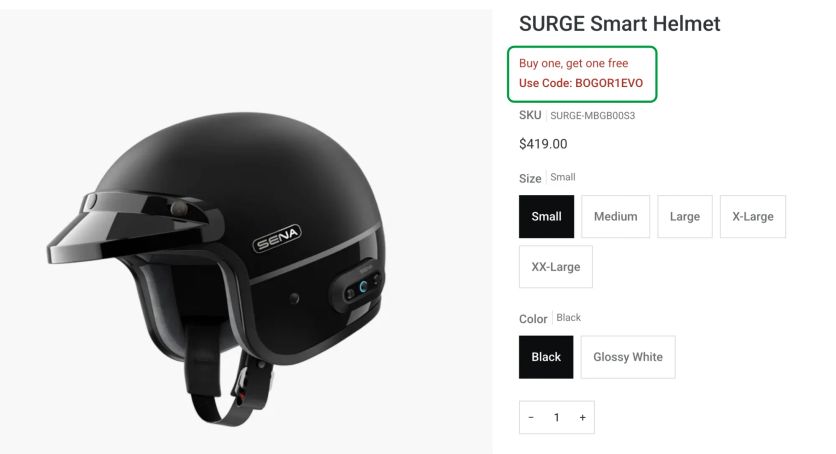
Sena highlights promotions near the product details
Pro tip: Display the calculated discounted price and total savings so shoppers see exactly what they’ll pay – no mental math required.
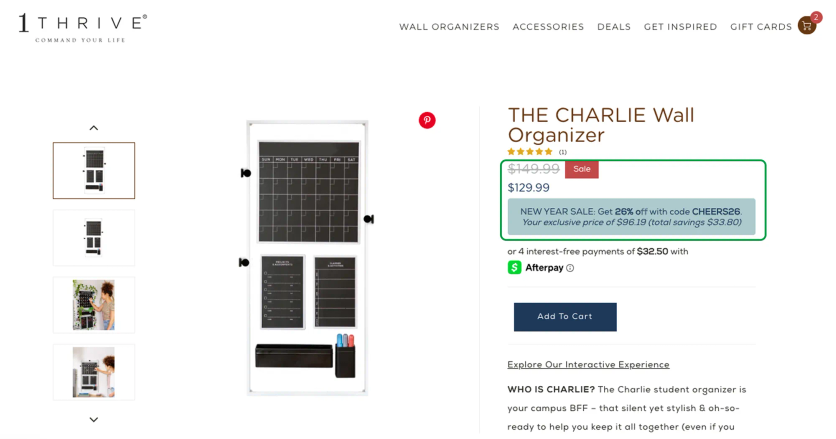
1Thrive shows the promo code, discounted price, and total savings on the product page
Pro tip: Only show promo codes to specific groups – like email subscribers or VIP shoppers – to reward loyalty and improve conversion for those segments.
Pro tip: Show non-subscribers the offer without the code, plus a CTA to sign up and unlock the discount.
Repeat the code at checkout
Showing the code once more on the checkout page is what actually prevents price adjustment requests. Even if someone missed it on the product page, they get a final reminder before completing payment. No more "I didn’t see it" emails to support.
Pro tip: Create a cohesive experience by combining the product page code with a top announcement bar and a reminder in the cart or minicart. Multiple touchpoints, same message.
Use a top bar for major promotions
For big sales events or high-value personalized offers – like a birthday discount – a floating announcement bar across all pages makes sure no one misses it. The code stays visible as customers browse.
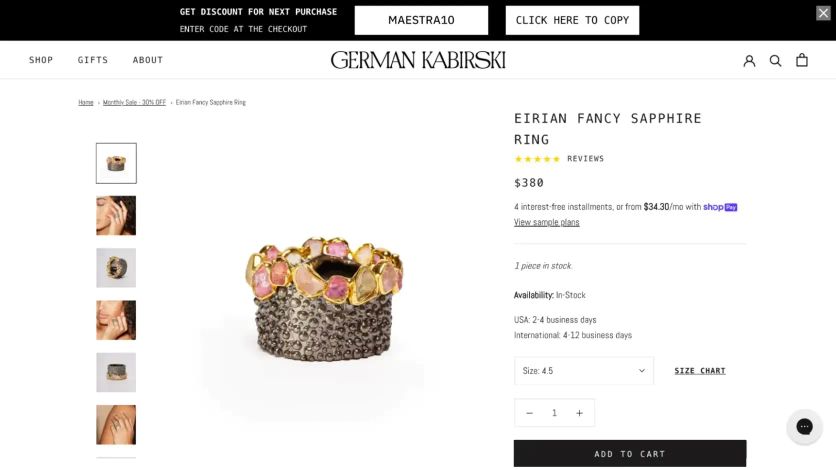
On German Kabirski’s website, a floating bar highlights the promo code from the abandoned cart email