
How To Warm Up a New Email Sending Domain

Domain warming is how you teach email providers to trust you – by sending more emails over time and proving people actually want them. You prepare non-promotional content, start sending only to subscribers who’ve engaged in the last 30 days, then scale volume gradually while watching postmaster metrics. If spam rates spike or reputation drops, you pause and fix the issue before continuing.
Clean, engaged lists typically warm in 2-3 weeks; new domains with no history take 4-6 weeks.
How Long Does Domain Warming Actually Take
How fast you warm depends on your list size and quality, target sending volume, and domain history. Clean, engaged lists warm faster because they generate better signals. And domains with existing reputation warm faster than brand new ones.
Situation 1: Migrating ESPs with a clean, engaged list
If you’re moving from another platform and your list is healthy (regular engagement, low complaints, cleaned of invalids), warming goes faster. You’re primarily warming new IPs, not building domain reputation from scratch. How long it takes depends on your list size.
Timeline: 2-4 weeks for a list around 100,000.
Situation 2: Brand new domain, no sending history
A domain with zero reputation requires more careful warming. Inbox providers have no data on you, so every signal matters. Keep in mind that a new domain should exist for at least 30 days before you start sending from it at all.
Timeline: 4-6 weeks to full volume (+ the initial 30-day domain aging period).
Situation 3: You’re setting up a domain for cold outreach
No warming schedule makes cold email safe for your brand’s domain: recipients who never opted in complain and ignore at rates that sink the reputation your marketing and transactional email depend on. Cold outbound belongs on separate domains with their own infrastructure. Services like ScaledMail provision dedicated sending domains and inboxes for exactly that.
Timeline: zero for your main domain. The outreach domains still need the same 30-day aging, so set them up a month before the campaign.
How to Warm Up a New Email Domain
Now let’s walk through the process step by step. You’ll prepare non-promotional content, segment your list to start with engaged subscribers only, follow a gradual sending schedule, use transactional emails to build trust faster, and react immediately if metrics dip.
Step 1: Prepare Your Email Content
The emails you use for warming should be genuinely useful – not aggressive promotional blasts. You want recipients to open, read, and click. Spam complaints during warming are devastating.
Content checklist:
- Email size under 100KB
- Clean HTML that renders on all devices
- No spam trigger words in subject lines (lottery, free money, act now, etc.)
- Balanced text-to-image ratio (not image-only emails)
- Personalization that proves you know the recipient
- Visible, working unsubscribe link (hiding it increases spam complaints)
| Bad warming content | Good warming content |
|---|---|
| ❌ Flash sales | ✅ Newsletters |
| ❌ Aggressive discounts | ✅ Product guides |
| ❌ Re-engagement campaigns | ✅ Welcome sequences |
| ✅ Surveys |
Example: Trashie’s warming emails
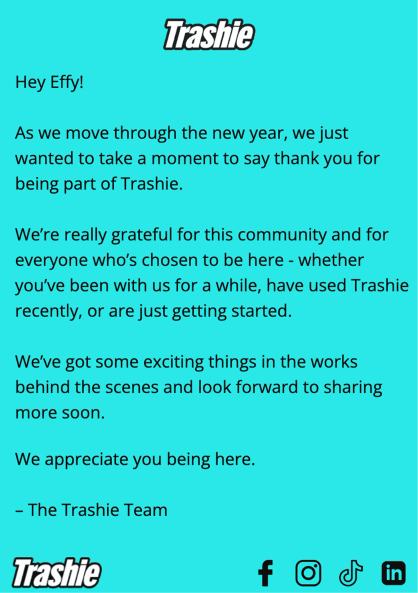
Trashie, a sustainable fashion and textile recycling company, used simple thank-you messages during their domain warming. Their emails were:
- Grateful and relationship-focused ("Thank you for being part of Trashie")
- Completely non-promotional (no sales, no aggressive CTAs)
- Personalized with recipient first names
- Clear about who sent them and why
- Easy to unsubscribe from
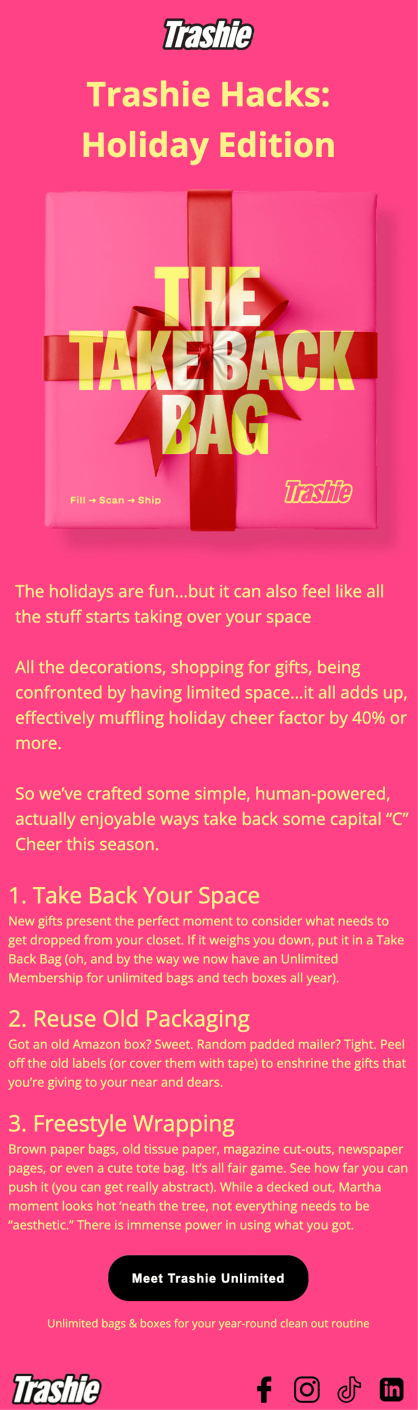
Trashie’s warm-up emails
The content worked exceptionally well. Their warming emails achieved an average of 56% open rate and maintained a spam rate of just 0.02% – well below the 0.1% threshold that signals reputation problems.
Step 2: Build Your Most Engaged Segment
The quality of your initial segment determines how fast you can warm. Your first sends should go to people who actually want your emails. These subscribers open, click, and don’t complain – exactly the engagement signals that build sender reputation.
Segmentation criteria for warming
- Opened or clicked an email in the last 30 days
- Made a purchase in the last 60 days
- Recently signed up and confirmed via double opt-in
- No prior bounces or spam complaints
Exclude anyone who hasn’t engaged in +90 days. Those addresses carry the highest risk of spam traps, complaints, and bounces – all reputation killers during the warming phase.
Example: Trashie’s warming segment
When Trashie migrated to Maestra, they had a target send volume of 250,000 emails per day. They started with their most engaged segment – subscribers who had opened, clicked, or purchased in the previous 30 days.
This hyper-engaged segment gave them the strong positive signals needed to build reputation quickly:
- Open rate: Average of 68% during the first two weeks (industry average for retail is 15-25%)
- Spam rate: 0.01% (well under the 0.1% danger threshold)
- Bounce rate: 0.11% (well under the 1% target)
- Unsubscribe rate: 0.1% (extremely healthy for a warming period)
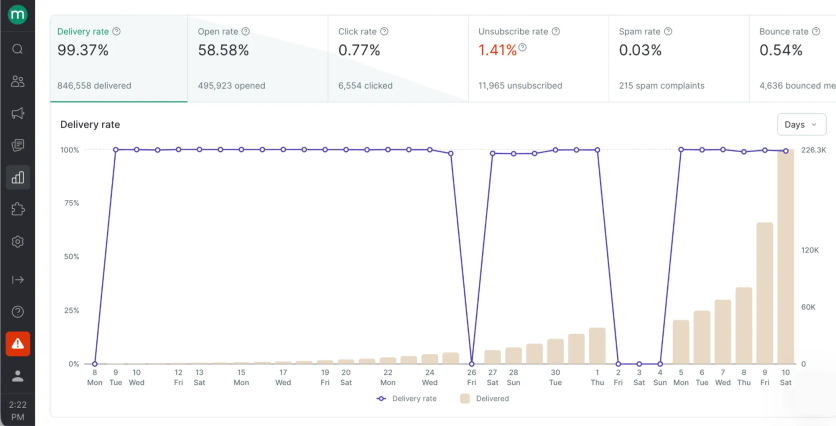
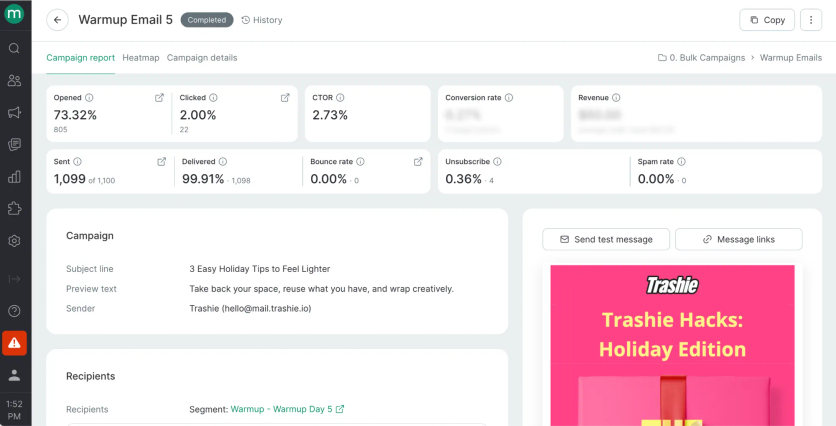
By starting with subscribers who genuinely wanted their emails, Trashie built trust with inbox providers from day one. This allowed them to scale volume aggressively – reaching 240,000 emails per day in just 30 days – while maintaining excellent deliverability. Trashie’s disciplined segmentation let them achieve in 4 weeks what poorly segmented campaigns take 8+ weeks to accomplish.
Step 3: Follow a Gradual Sending Schedule
The core principle: start small, increase slowly, and only scale when metrics stay healthy. There’s no universal timeline – it depends on your list size, list quality, and how inbox providers respond. To help you plan, we’ve created an Email Warm-up Planner that helps you schedule your sends and stay on track throughout the warming period.
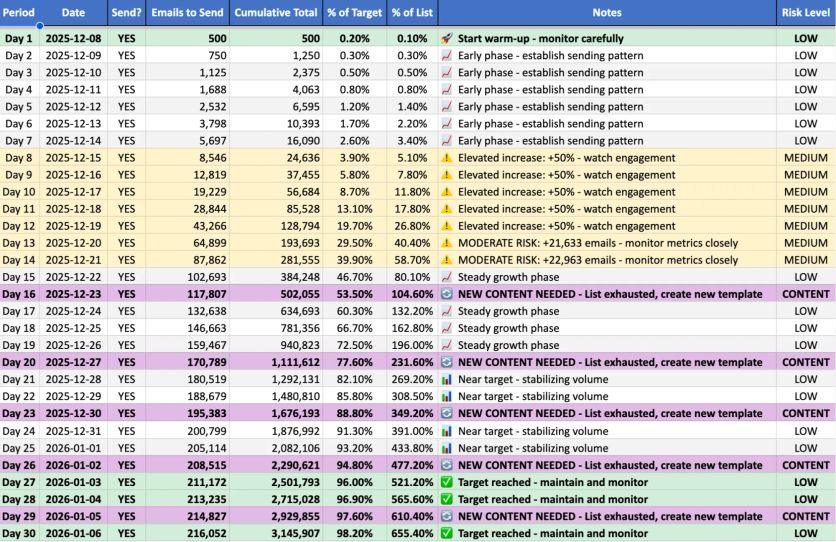
Send on your real schedule from day one. You’re training inbox providers what to expect. If you want to send daily, send daily from the start. Avoid breaks: a two–three-week pause means starting over. Speed matters as much as volume. Avoid blasting large sends all at once. Start by throttling to 500–1,000 emails per hour and sending your emails at the same time each day (ex: 10AM). As you warm up, adjust your throttle so the full list sends within ~3 hours (e.g., 60,000 emails at ~20,000 per hour).
Step 4: Use Transactional Emails to Accelerate Warming
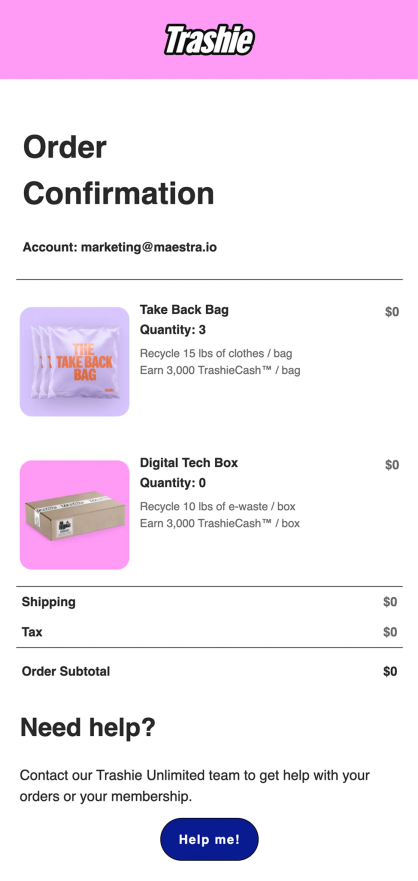
If you’re sending both marketing and transactional emails from the same domain, transactional messages help build reputation faster. Order confirmations, shipping notifications, and password resets have near-100% open rates and zero spam complaints.
Warming strategy with transactional emails:
- Launch transactional emails first (order confirmations, account notifications)
- Add automated campaigns with high relevance (welcome series, browse abandonment)
- Layer in bulk campaigns gradually, starting with engaged segments
This approach works because transactional emails train inbox providers to expect and trust messages from your domain before you scale promotional volume.
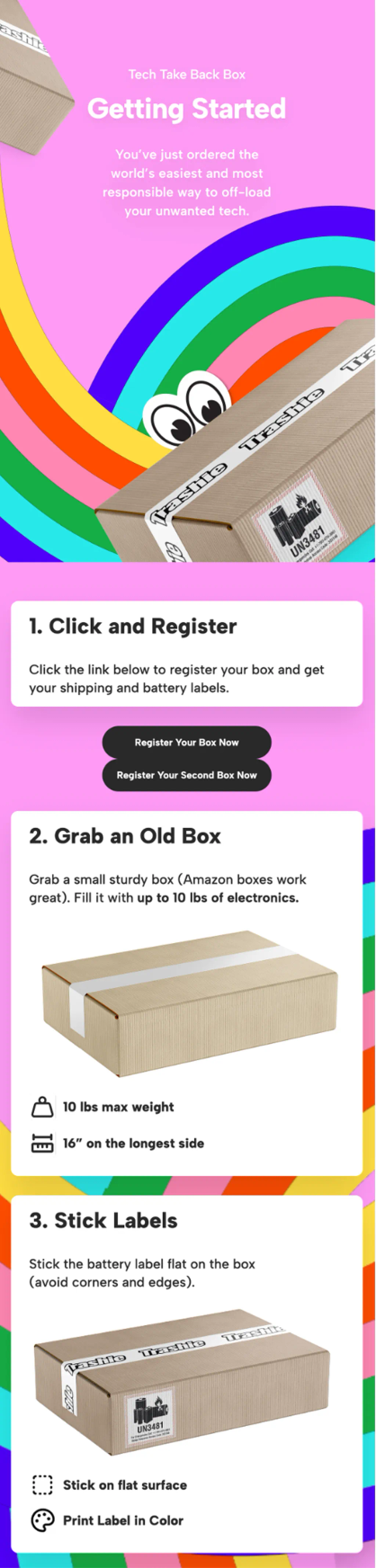
Trashie’s order confirmation emails
Step 5: React Immediately When Metrics Deteriorate
If postmaster tools show rising spam rates, declining reputation, or delivery blocks, stop sending immediately. Continuing to push volume with bad metrics compounds the damage. Pause and diagnose the issue instead.
Diagnostic checklist when warming stalls:
| Symptom | Likely Cause | Fix |
|---|---|---|
| High spam rate (>0.1%) | Content too promotional, or list includes disengaged subscribers | Tighten segment to recent engagers only; soften content |
| High bounce rate | Invalid addresses in list | Run list through validation service; remove inactive emails |
| Low open rate | Poor subject lines, or emails landing in spam | Check spam folder placement; revise subject lines |
Reputation recovery takes time. After pausing, wait 48-72 hours before resuming at reduced volume.
The Bottom Line
Domain warming comes down to patience and discipline: prepare content people actually want to open, start with your most engaged subscribers, scale gradually, and stop immediately if metrics dip. Use our Email Warm-up Planner to map out your schedule and stay on track. Follow this process and you’ll build inbox provider trust without tanking your reputation.
Trashie did exactly that when migrating to Maestra – simple thank-you emails, tight segmentation, careful scaling. Within 30 days they hit 240,000 emails per day with a 55.95% open rate and a spam rate of just 0.02%.
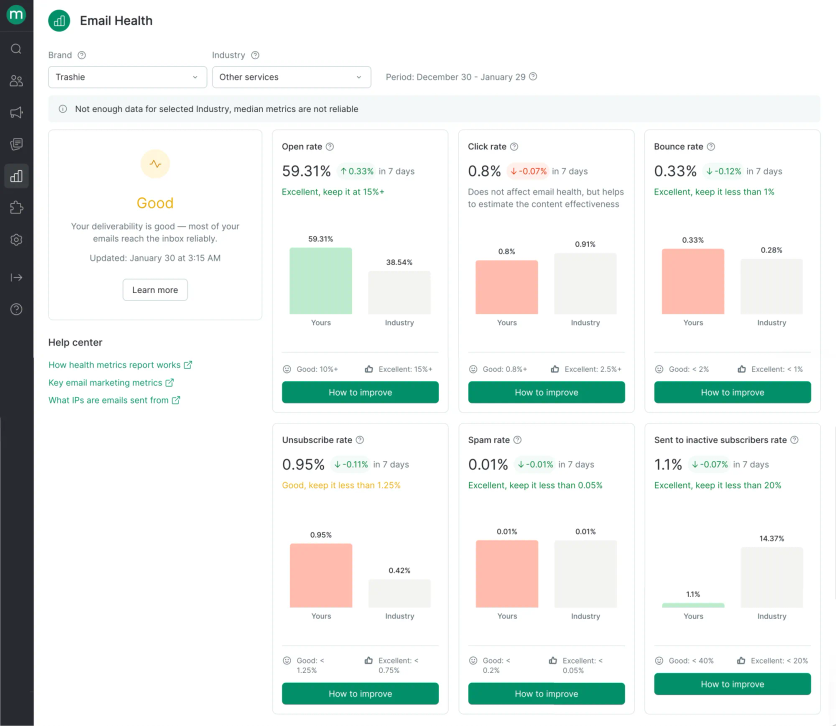
Trashie’s Email Health report in Maestra
FAQ
- Most senders reach full volume in 2-6 weeks, depending on list quality and target volume. Clean, engaged lists warm faster. Large lists (1M+) or lists with unknown quality take longer. The limiting factor is always inbox provider response – if metrics stay healthy, you can accelerate.
- Yes, but each domain needs its own warming schedule. Sending from multiple new domains to the same subscriber list can look suspicious, so stagger your approach. Warm your primary domain first, then secondary domains for transactional or specific campaign types.
- You have two options: send only to your already-warmed segment size (accepting reduced reach), or delay the campaign until warming completes. Blasting your full list mid-warming will likely land in spam and set back your timeline by weeks.
- Many senders use subdomains (like mail.yourbrand.com) to separate marketing reputation from their main domain. This protects your corporate email if marketing reputation suffers. Each subdomain needs its own authentication and warming process.
- Warming is complete when you can send to your full list at normal speed with: spam rate under 0.1%, domain reputation showing "High" in Gmail Postmaster, bounce rate under 2%, and no delivery blocks from major providers. At that point, maintain these metrics with ongoing list hygiene and engagement-based segmentation.