
How to Keep Customers Engaged During Long Production and Shipping Times

To keep customers engaged during manufacturing or shipping, send order confirmations and clear status updates like “Shipped, ” “Out for Delivery, ” and “Delivery Delay.” If possible, include an estimated delivery date and a tracking link in every status-update email. Keep customers engaged with a “while‑you‑wait” and upsell flows.
You can even prevent the wait altogether: if you stock some ready-to-ship items, show "Need It Sooner?" alternatives on product pages to capture urgent buyers.
Let’s break down what you can do to improve the customer experience.
Build a status update flow to remove uncertainty
You can start with these basics:
Order status updates map
| Trigger event | Send this | Channel | What to include |
|---|---|---|---|
| Order placed | “Order confirmed + what happens next” | Email (SMS optional) | Lead times, ETA range, link to tracking hub, edit/cancel window, how to reach support |
| Ready to ship | “Ready for shipment, shipping on…” | Email (SMS optional) | Estimated ship date and delivery date, link to tracking hub, shipping address edit window |
| Label created / shipped | “Shipped” | Email + SMS | Tracking link, carrier, estimated delivery date, “What to do if tracking stalls” |
| Out for delivery | “Out for delivery today” | SMS | Tracking link, delivery tips (safe drop-off), quick “Need help?” link |
| Delivered | “Delivered + quick start” | How-to/setup, returns/exchanges link, warranty basics | |
| Delay / exception detected | “We see a delay – here’s what’s happening” | Email + SMS | Reassurance, new ETA (if known), what you’re doing, escalation link |
Let’s have a look at an example. I Love Linen, a textile brand, sends an order status email that includes a thank-you note from the founder, a soft upsell, and a helpful guide.
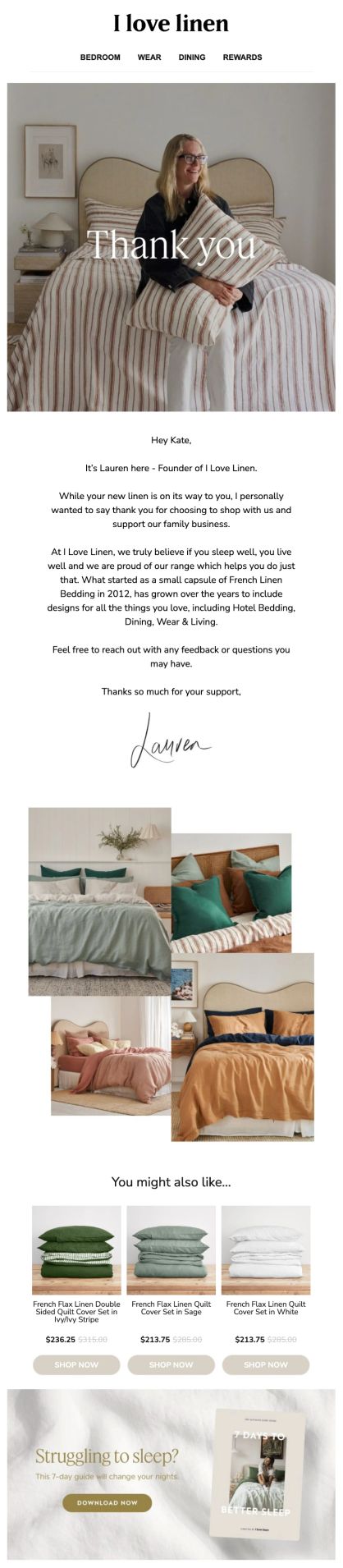
I Love Linen’s emails feature a thank-you from the founder, a soft upsell, and a helpful guide
Add “while-you-wait” emails alongside the basic updates
To prevent buyers from getting annoyed while they wait, marketers can set up a special email sequence that tells the brand story or shows the manufacturing process. Enlightened Equipment spends a few weeks producing custom sleeping quilts, so they send emails with clear status updates, production details, and a question form.
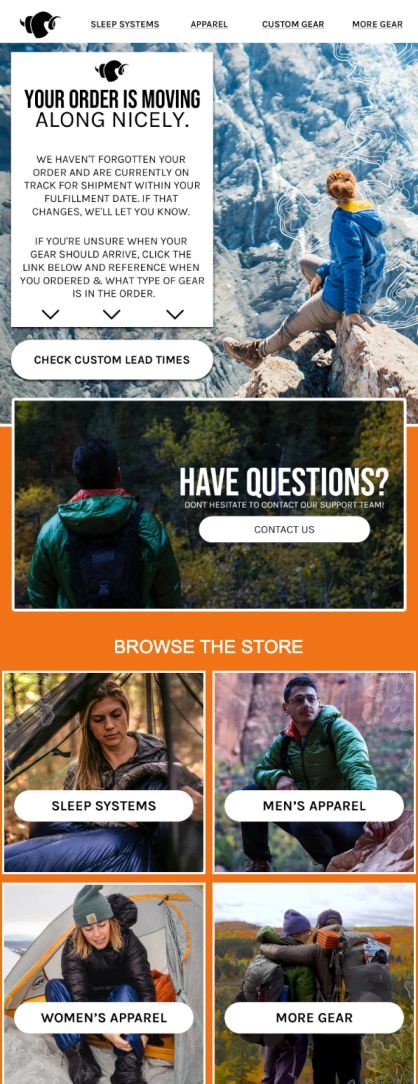
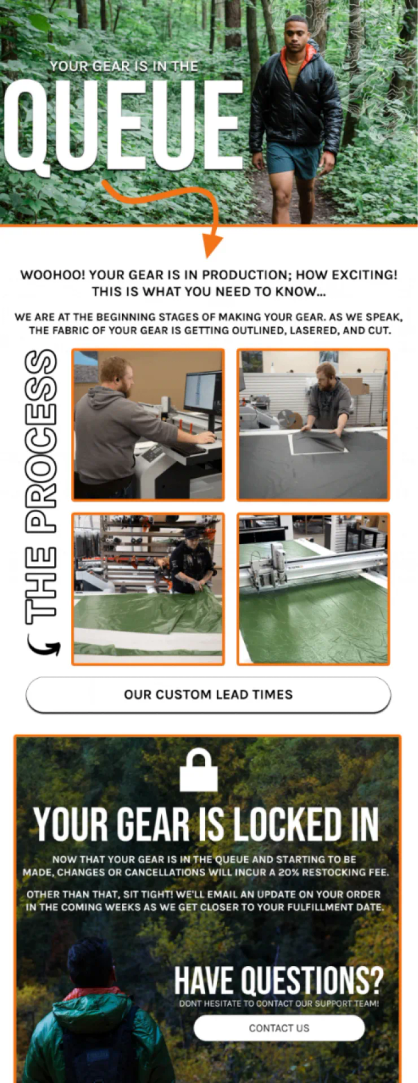
Enlightened Equipment updates status, shows the production process, and gently upsells in their emails
While customers are waiting for their orders, you can send them upsell and cross-sell emails – especially in industries where complementary products enhance the experience. Furniture Fair launched a post-purchase email flow with personalized recommendations: items from the same collection like matching end tables for their new sofa. This generated $26,000 in additional monthly revenue from a single flow.
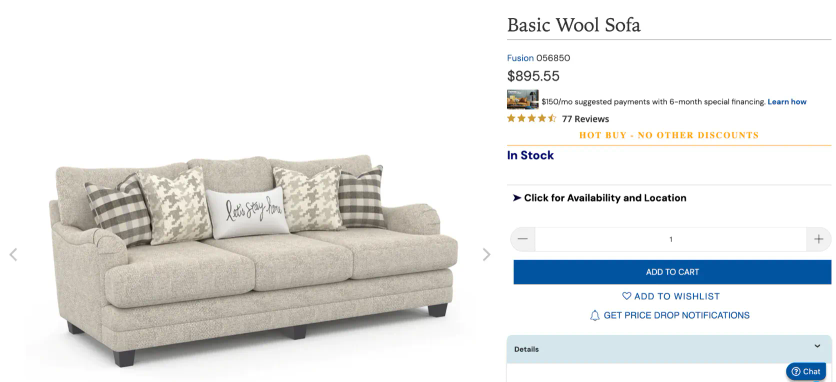
After buying this wool sofa, the customer receives…
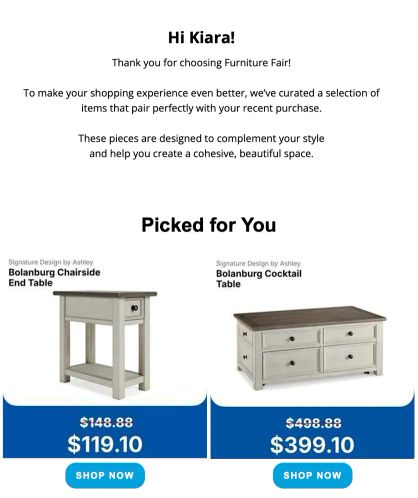
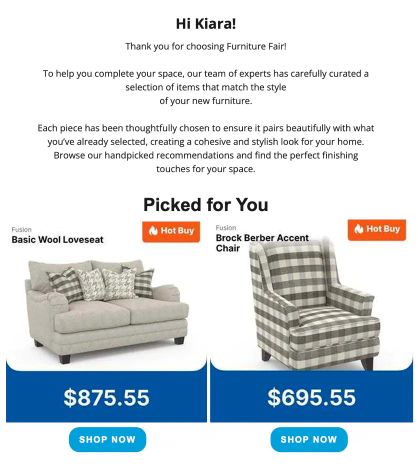
…post-purchase flow with related products
Offer alternatives for urgency
If your inventory is a mix of made-to-order and ready-to-ship items, here is an advanced play: whenever a shopper views an item with a long lead time, display a “Need It Sooner?” block on the product page. This dynamically recommends similar products that are in stock and ready to ship immediately. This move is beyond the basics, because it’s about re-engineering the shopping experience to reduce friction and capture urgent buyers.
Furniture Fair rolled out “Need It Sooner?” recommendations. Now, instead of losing customers, the brand guides them toward something they can get quickly.
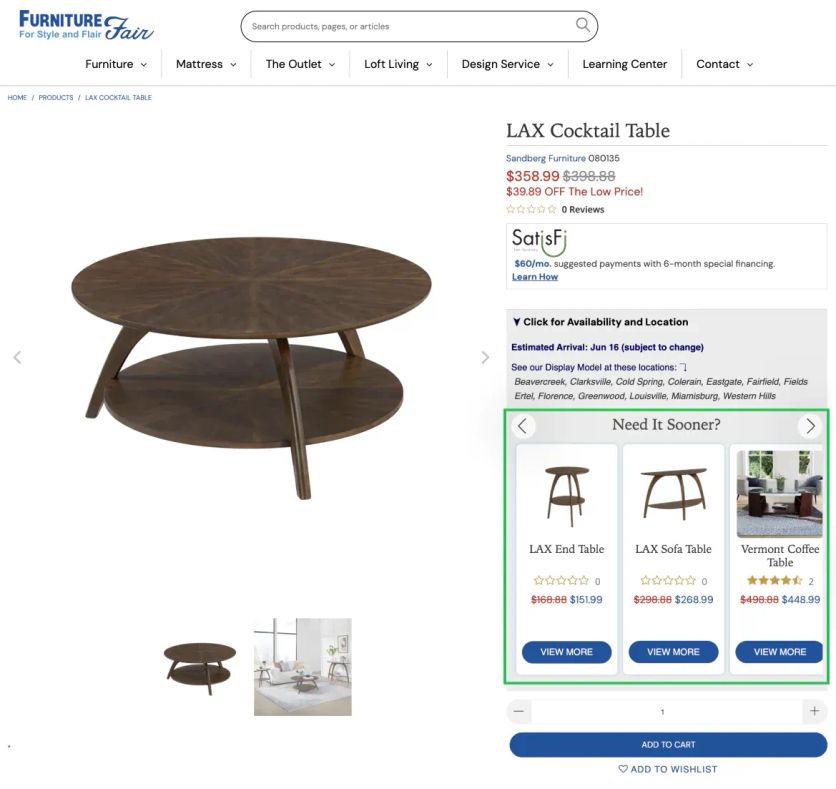
When delivery estimates run long, customers see ready-to-ship alternatives without having to search
P. S. Track your deliverability to ensure emails reach the inbox and keep customers updated. Even a perfect status flow fails if messages land in spam or get buried. Use our guide to get your emails seen: